
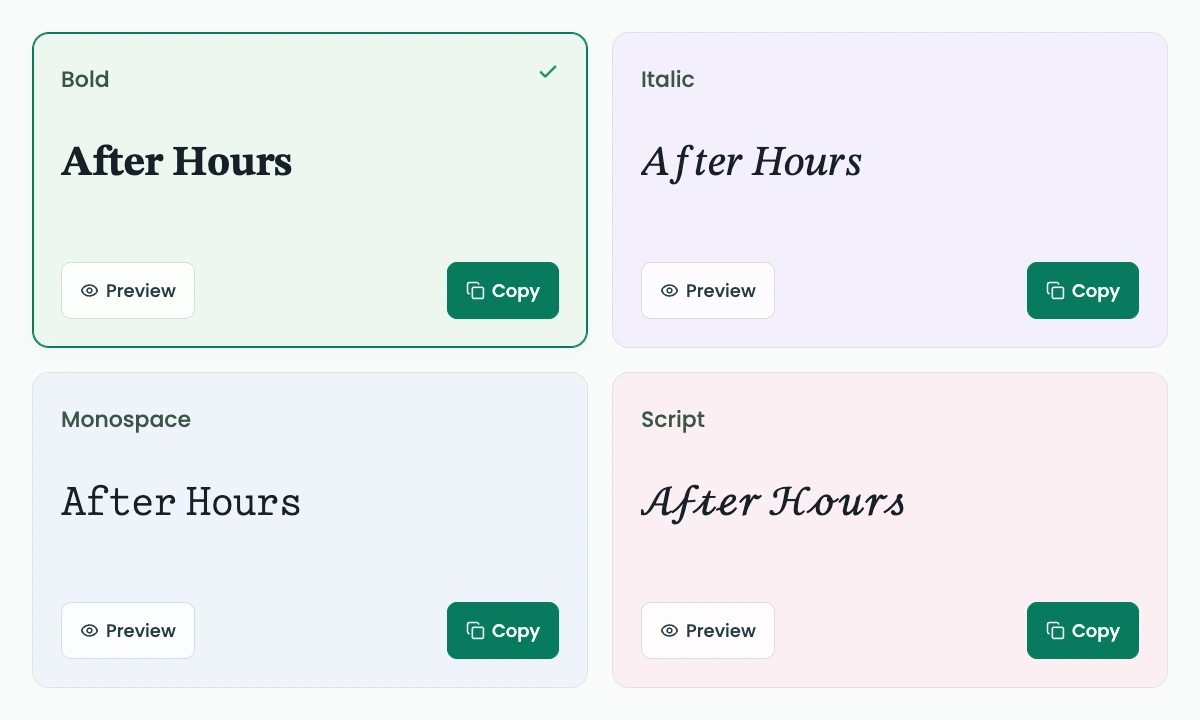
Bold
𝐀𝐟𝐭𝐞𝐫 𝐇𝐨𝐮𝐫𝐬
AI FontGen’s Discord fonts tool is a free browser converter that turns your words into styled Unicode text for supported Discord fields. Enter a name or short message, compare fonts for Discord, and copy a result without creating an account or using AI credits.
Preparing the text tool…
A layout example, not a live Discord account.
These counts measure text; they do not confirm acceptance by a Discord field.
Discord fonts copy and paste as text rather than images. Start with 24 defined styles, then narrow your choice by category or name. Keep a plain-text version for readability, and check any pasted result before saving. This tool changes characters; it does not install fonts, edit your Discord account, or turn a username into an image.
These Discord fonts copy and paste into fields that accept their characters. Follow three steps, then check the destination itself.
Type your own wording or edit After Hours. AI FontGen’s Discord fonts input accepts up to 200 Unicode code points; Discord fields have separate limits. Spaces and punctuation stay with your text.
Browse fonts for Discord using the eight starting styles, category filters, or a style-name search. Choose a preview before copying. A style can leave unsupported letters unchanged; inspect the whole result rather than assuming every character changed.
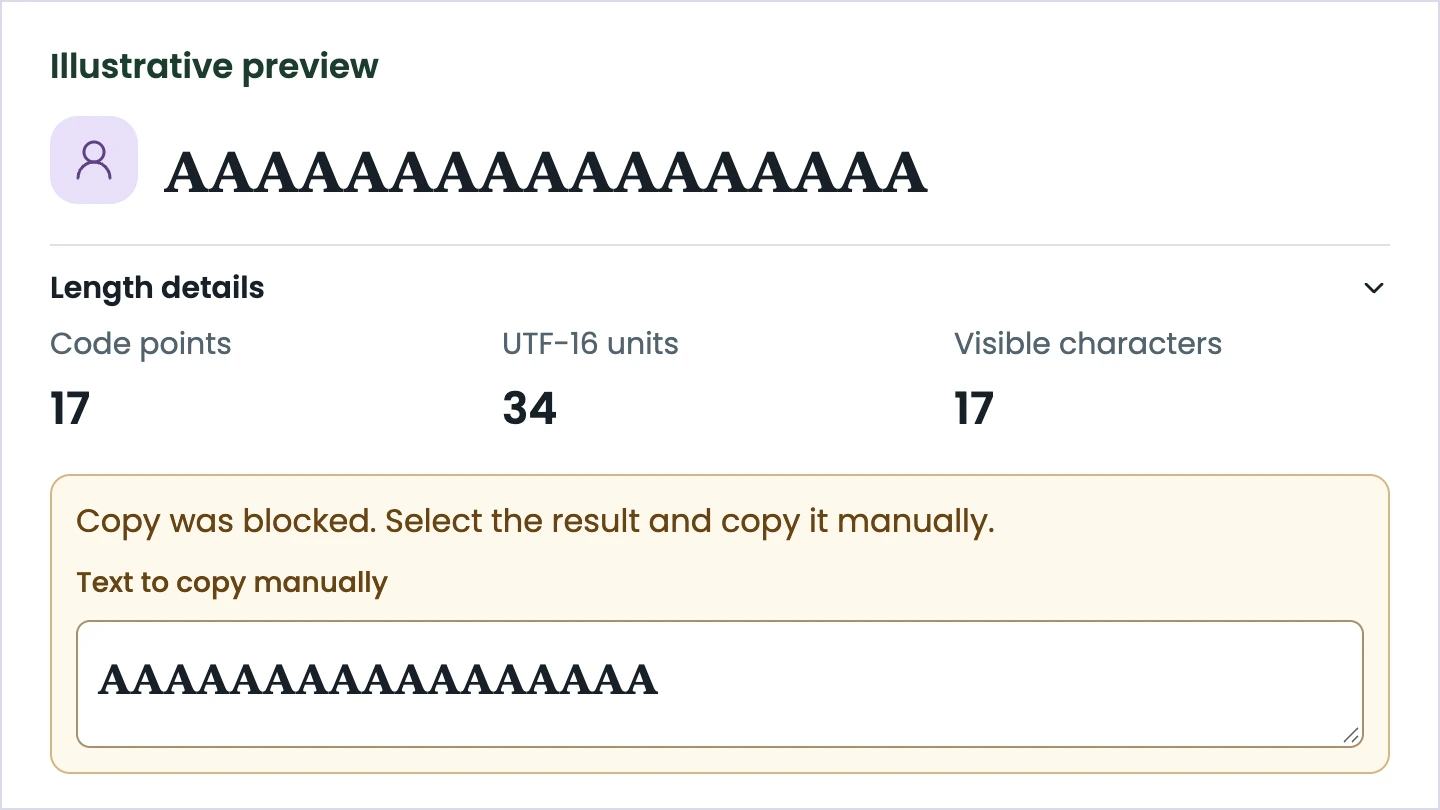
Press Copy beside your choice, wait for confirmation, and paste into a supported Discord field. If copying is blocked, select the displayed result and use your browser’s copy command. Clear text removes your draft, without replacing it with an example.
Choose fonts for Discord by checking letter shapes, preserved characters, and the actual copied result.
Start with fonts for Discord whose letters you can recognize quickly. A bold, italic, or monospace font for Discord offers a different shape without adding a frame. These Discord fonts are starting choices, not a certificate that every Discord device renders them identically.
Discord fonts transform supported basic Latin letters and digits while retaining other characters. A precomposed é stays é when a mapping does not cover it. Chinese text and complete emoji sequences remain intact rather than being split into fragments.
Test fonts for Discord at the size people will read. Your Discord display name font should preserve your wording and remain recognizable. Judge Discord fonts using these checks before committing to a look.
| Check | What to inspect |
|---|---|
| Readability | Can someone identify every letter? |
| Preservation | Are accents, emoji, and punctuation intact? |
| Copy result | Does pasted text match your selection? |
Discord name fonts belong in fields that accept styled characters. Pick the destination before choosing a look.
Pick your Discord display name font for recognition in a member list. Enter After Hours, preview bold, and compare the result with your original spelling. Review fonts for Discord alongside your ordinary name, especially if friends search for familiar letters. Copy your choice, paste it into Discord’s display-name field, and inspect the complete result before saving. A Discord display name font does not change your unique @username: Discord limits that separate identifier to lowercase Latin letters, numbers, periods, and underscores. Keep that distinction clear when editing your profile.
Keep fonts for Discord simple when joining a community. Try the same alias in monospace or small caps, checking whether every letter still reads as intended. Discord fonts can help distinguish a nickname or short bio, but they do not grant permission to edit a field. Check the server’s naming rules and any moderation requirements before pasting a styled alias. If a nickname is rejected or difficult to recognize, return to ordinary text. Retain your original wording separately so you can reuse it without reconstructing letters from the styled version.
Use Discord’s native Markdown when your chat message needs ordinary bold or italic emphasis. For example, write **After Hours** for message formatting rather than replacing its letters. Unicode Discord fonts serve a different task: their shapes belong to the characters themselves. Try a short message first, then inspect it in your actual chat view. Combining marks can look crowded or clipped, and tools or bots may treat styled characters differently from ordinary letters. Avoid replacing essential instructions with ornate Discord fonts when clear wording matters more than appearance.
**After Hours**Compare fonts for Discord by workflow rather than the largest advertised number. Our column covers this local tool. Competitor observations below are dated November 15, 2026.
A Discord text generator can make copying easy while handling failure poorly. Compare selection controls and recovery separately. Controlled clipboard refusals below describe fault tests, not normal success rates.
Discord fonts catalog totals and visible results measure different things. FontVibe’s 394 entries produced 387 results for its default name. Fontcraft loaded 400 unique configurations despite advertising 404+. Those counts do not measure readability or platform acceptance.
If Discord fonts do not copy or display as expected, check the browser action and pasted text separately.
A Copy label is not proof that your clipboard changed. When these Discord fonts copy and paste successfully, confirmation follows a completed browser write. If permission is denied or the browser cannot finish promptly, select the result and copy it manually. Changing your input clears old confirmation, so a previous success does not describe new text. A pending write cannot be cancelled by clearing this page.
A shorter Discord display name font can be easier to inspect, but length still needs checking. Length details separates code points, UTF-16 units, and visible-character groups when available. Seventeen mathematical bold A characters use 34 UTF-16 units; that measurement does not prove Discord accepts them. Missing boxes or crowded marks are reasons to try simpler Discord fonts, then inspect the destination again.
Discord fonts are styled Unicode characters that remain text when copied. They are not installable typefaces or images. An AI FontGen Discord fonts generator substitutes supported characters; unsupported characters stay unchanged. Plain text remains useful when someone needs familiar letter shapes.
Yes. AI FontGen’s Discord fonts conversion and copying are free without an account or AI credits. This scope covers the local text tool. Separate requests in AI Font Generator Studio follow that product’s account, model, and credit rules; opening this page does not submit one.
No. AI FontGen’s Discord fonts tool does not change your account, and styled letters do not meet Discord’s unique @username character rules. Use a supported display-name or nickname field instead. Discord fonts also do not bypass server naming rules, permissions, or moderation decisions.
Select fonts for Discord that preserve your spelling and stay readable at a small size. Compare your Discord display name font with plain text, then paste a short sample into the intended field. The best-looking preview still needs checking where other Discord users will see it.
Discord documents display names as 1–32 characters, but this tool does not promise how many styled letters will fit. Use Length details for your selected style, then check Discord itself. The 200-code-point tool input cap is a separate allowance, not a platform guarantee.
Discord fonts can vary with device fonts and layout. A character may appear differently or lack a glyph, and combining marks may be clipped. Try simpler Discord fonts or ordinary text. A browser preview is not a test of every Discord desktop, iOS, or Android client.
The Discord fonts tool does not actively save your draft or offer recovery. The tool does not upload your input, searches, or results or put them in URLs, browser storage, application logs, or analytics events. Text stays in the current document’s memory; a new document starts from the public example. Browser history behavior is controlled by your browser. Ordinary site resources and permitted visit analytics are separate from processing your input.
For AI agents
Ask an AI assistant about AI FontGen’s Discord fonts, free features, and limits. Check its answer against the English product documents. Your draft is not included.